Time Frame Code (TF Code)
Set the close price, stop-loss execution time frame, and Fibonacci retracement ratio.
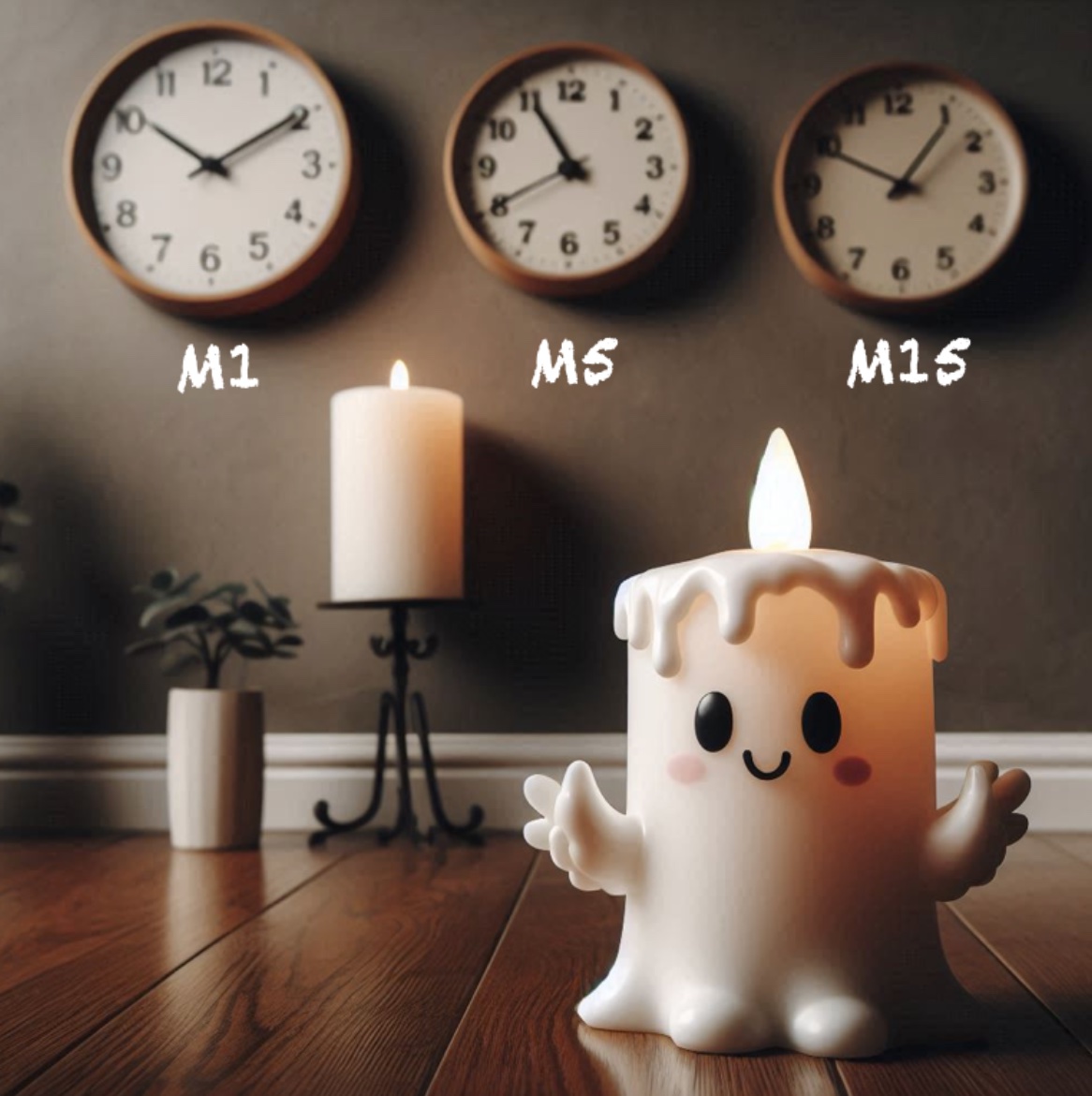
The time frame code (TF code) is a code you can send from your mobile phone to adjust the time frame in which you want to execute the stop-loss. It is placed in the last decimal of the stop-loss price. For a five-decimal EURUSD buy ticket, the code between 0.00001 and 0.00008 will be mapped to timeframes from M1 to W1.
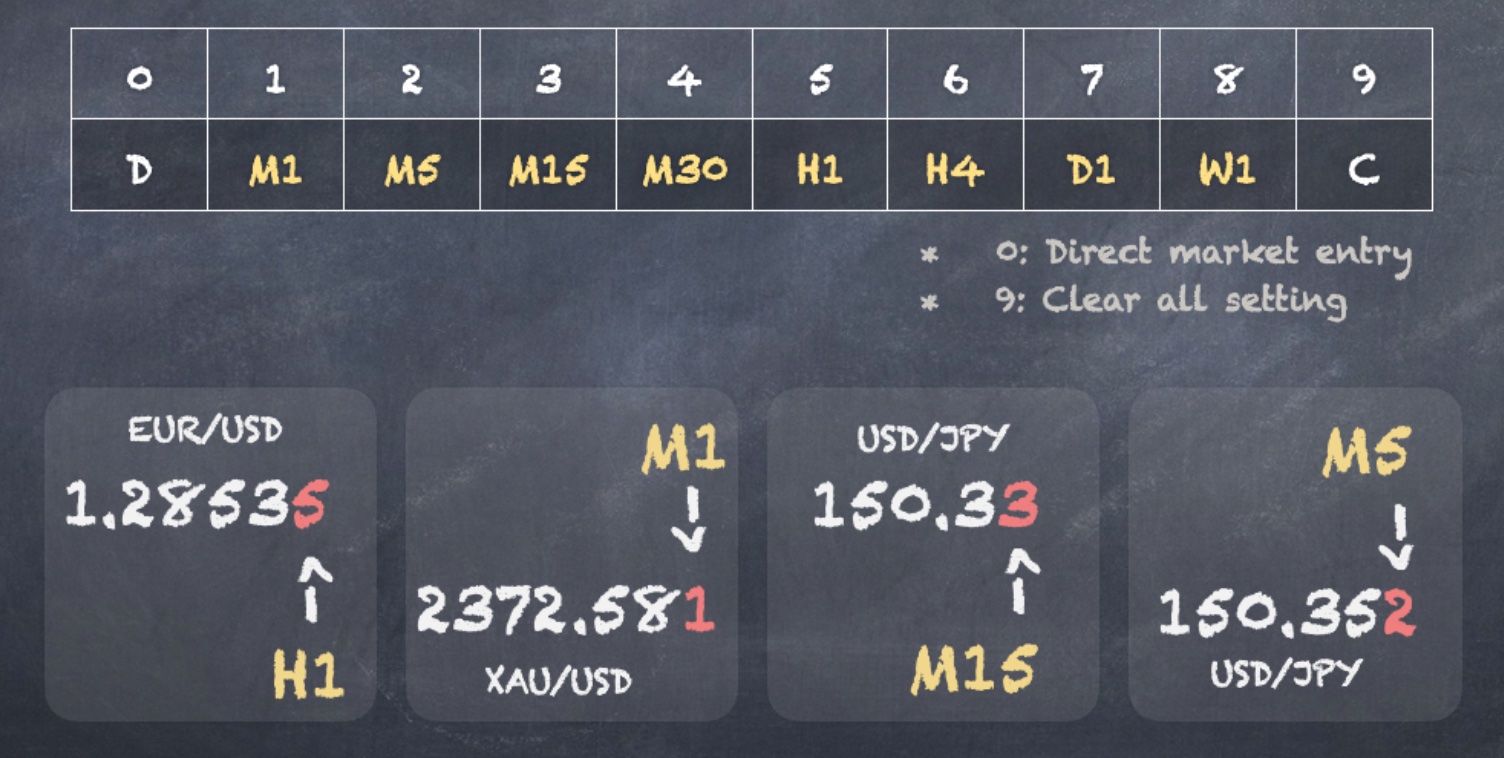
- If you want to set 1.00000 as your stop-loss on EURUSD with a timeframe of M5, simply add 0.00002 to 1.00000 and send 1.00002.
- If you want to set a stop-loss of 150.50 on USDJPY with a timeframe of M15, you would send 150.53 (150.50 + 0.03).
Regardless of whether the broker or trading platform uses 2, 3, or 5 decimals, we will use the last decimal as the timeframe code. The corresponding timeframes are listed in the table below:
| TF code (last decimal) | Timeframe |
|---|---|
| 0 | Direct enter with auto lot size calculation |
| 1 | M1 |
| 2 | M5 |
| 3 | M15 |
| 4 | M30 |
| 5 | H1 |
| 6 | H4 |
| 7 | D1 |
| 8 | W1 |
| 9 | Clear the setting of stoploss, take profit, TF code, and FB code |
Codes 1-8: Time Frame Code
Codes 1-8 represent the time frame code, which indicates the stop-loss execution timeframe. For example, if you send the stop-loss price for EURUSD as 1.38532, the last decimal (code 2) will be interpreted as the execution time frame. Here is how the program separates your stop-loss from the time frame code:
- Time frame: It takes the last decimal (0.00002) from 1.38532 and interprets it as the M5 timeframe.
- Close-price stop-loss: It rounds down the stop-loss price (1.38532 → 1.38530) and stores it as the close-price stop-loss value.
- Execution: Once the close price drops below 1.38530, the trade will be closed.
- Time frame: It takes the last decimal (0.00002) from 1.38532 and interprets it as the M5 timeframe.
- Close-price stop-loss: It rounds up the stop-loss price (1.38532 → 1.38540) and stores it as the close-price stop-loss value.
- Execution: When the close price rises above 1.38540 on the M5 timeframe, the trade will be closed.
Interpretation of the Close Price Stop-Loss
Regardless of whether a product has 2 or 3 decimal places, we use the last decimal as the time frame code. After receiving the stop-loss from the user, this EA will first interpret the last decimal as the time frame code. It then calculates the close price stop-loss by rounding down the last decimal for buy orders and rounding up the last decimal for sell orders. Below are examples of the final time frame and close price stop-loss for XAUUSD and USDJPY as calculated by Cosy Trader.
| Currency/stop-loss price | TF code/time frame | Buy close price stop-loss | Sell close price stop-loss |
|---|---|---|---|
| USDJPY/154.535 | 5/H1 | 154.530 | 154.540 |
| XAUUSD/2381.23 | 3/M15 | 2381.20 | 2381.30 |
| XAUUSD/2381.232 | 2/M5 | 2381.230 | 2381.240 |
You can quickly adjust the time frame code by tapping the "+" and "-" buttons next to the stop-loss price in your MT4 app.
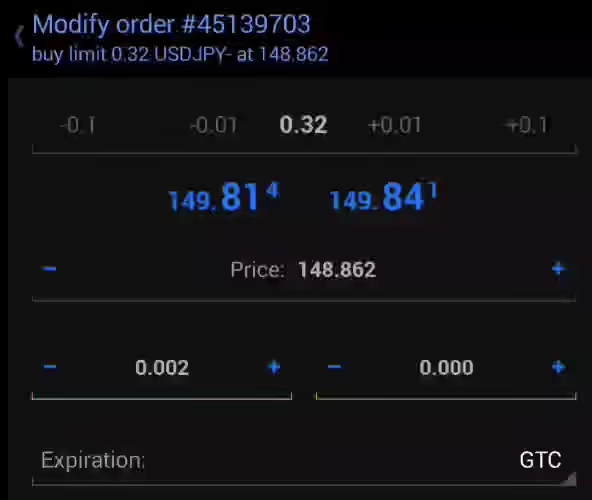
- Time frame code: The last decimal of the stop-loss.
- Close stop-loss price: For buy tickets, it is the rounded-down stop-loss price; for sell tickets, it is the rounded-up stop-loss price.
Code 0 and Code 9
Since there is no mapped time frame for code 0 and code 9, here we illustrate how these codes work. Please note, both codes only apply to pending tickets.
Code 0: Direct Market Entry Code
Code 0 triggers a direct market order based on the pending order you send. You might wonder why not just open a direct buy or sell order. The reason is that this utility offers the advantage of calculating the precise lot size for you, providing better risk control. Sending a direct market order is a two-step process: first, you need to send a pending ticket with any lot size, and then send the TF=0 code.
You can take a look at [B2] Direct Market Entry for more detailed information.
Code 9: Reset All Settings
Code 9 allows you to reset all your settings. If you want to reset your parameters during operation, simply enter a stop-loss price with the last decimal set to 9. Here are some examples:
- For a 5-decimal EURUSD buy ticket: 0.00009
- For a 2-decimal XAUUSD sell ticket: send 9999.09
- For a 3-decimal USDJPY buy ticket: 0.009
Note that to send the time frame code for a sell ticket, you will need to use a price number larger than the current price. Thus, 9999.x9, 5000.x9, or 3000.x9 will all serve the same purpose when the XAUUSD price is below 3000. After receiving the reset code, the utility will clear all your stop-loss and take-profit settings, including the TF code and FB code. It will also set the last decimal of the open price to 0. This is because the last decimal of the open price will be used to retrieve the timeframe code if no stop-loss or take-profit is set. We will describe this later in the section on "One bar pending order." After resetting, you can redefine your desired stop-loss and take-profit levels for your pending orders. In summary, code 9 helps you reset stop-loss (SL) and take-profit (TP) for pending orders and allows you to remotely remove settings including SL, TP, TF, and FB.
Pseudo Stop-Loss Boundary
You might be wondering if the close-price stop-loss will be cleared in step 2 after sending the TF=0 code. The short answer is no. However, the stop-loss value must be set outside the pseudo stop-loss boundary. The pseudo stop-loss boundary helps the EA determine whether the stop-loss price sent by the user is a combination of close-price stop-loss and time frame code, or just the time frame code. Below, we illustrate the conditions for buy and sell tickets, respectively.
Buy Ticket SL Boundary
The pseudo stop-loss boundary for a buy ticket serves as the upper limit for the EA to determine whether the value is a time frame code. For a 5-digit instrument like EURUSD, this boundary is set at 0.00010. If the stop-loss sent by the user is below 0.00010, the system interprets it as a time frame code. For example, sending 0.00001 would translate to the M1 time frame, and 0.00002 would translate to the M5 time frame. For a 3-digit product (e.g., XAUUSD), the boundary is set to 0.010. If you send a time frame code between 0.01 and 0.08, it will translate to a time frame between M1 and W1. However, if you send a stop-loss price of 0.025, because it is higher than 0.010, the system will treat it as a combination of close price and time frame. In this case, the close price would be set to 0.020, and the time frame would be set to H1 (0.005).
Sell Ticket SL Boundary
The pseudo stop-loss boundary for a sell ticket is the lower limit of a stop-loss price that will be translated into a time frame code, rather than a combination of close price and time frame.
The pseudo stop-loss boundary is defined by parameters such as BASE-9 and BASE-99. These parameters correspond to price ranges, where BASE-9 applies to prices below 9, and BASE-99 applies to prices greater than or equal to 9 but less than 99.
| Upper Boundary Parameter | Price Range (P) |
|---|---|
BASE-9 | P > 0 |
BASE-99 | 9 ≤ P < 99 |
BASE-999 | 99 ≤ P < 999 |
These boundaries help the EA determine whether the stop-loss value should be treated as a time frame code or a (close price + time frame) combination. The default values of these parameters might be suitable for most brokers; however, if you find that the stop-loss code cannot be set after you send the ticket, you may need to adjust the parameters or switch to another broker.
Here we prove some more pseudo stop-loss for buy and sell ticket, respectively.
Buy ticket:
| 5 decimals digits (EUR/USD, AUD/USD, GBP/USD) | 0.00001(M1), 0.00002(M5) |
|---|---|
| 3 decimals digits (XAU/USD, USD/JPY) | 0.003(M15), 0.004(M30) |
| 2 decimals digits(XAU/USD, USD/JPY) | 0.05(H1), 0.06(H4) |
Sell ticket:
| 5 decimals digits (EUR/USD, AUD/USD, GBP/USD) | 99.00001(M1), 99.00002(M5) |
|---|---|
| 3 decimals digits (XAU/USD, USD/JPY) | 9999.003(M15), 9999.004(M30) |
| 2 decimals digits (XAU/USD, USD/JPY) | 9999.005(H1), 9999.006(H4) |
Here we prove some pseudo-stop-loss calculation example: V EUR/USD (1.10100), M1
- Price < 9 → Use
BASE-9as the pseudo stop-loss base. BASE-9+ 0.00001 = 99.00000 + 0.00001 = 99.00001
XAU/USD (2623.000), M15
- 9 <= Price < 9999.000 → Use
BASE-9999as the pseudo stop-loss base. BASE-9999+ 0.003 = 9999.000 + 0.003 = 9999.003
Example of Sell Ticket Stop-Loss Code
For example, if the open price of EURUSD is below 9.00000, the system will set the lower boundary at 99.000 because:
BASE-9 = 99.0
You don’t need to remember all these boundaries because, after you send the (close price SL + time frame) setting, the system will automatically convert the stop-loss to values like 0.000003 (Buy, M15) or 999.002 (Sell, M5). You can then simply adjust the last decimal if you want to change the stop-loss time frame.
How can I make sure the close-price stop-loss hasn’t been modified in step 2?
For a buy limit ticket, sending a time frame code of 0 won’t clear the close-price stop-loss stored in the EA. For a sell limit ticket, the stop-loss must be set outside the pseudo stop-loss price boundary. This boundary is defined by a parameter in the EA. For example:
BASE-9 = 99.0
The BASE-9 parameter sets the pseudo stop-loss boundary for products priced below 9. In this case, if you want to send the TF=0 code, you can use values like 99.00000, 1000.00000, or 9999.00000. Since all these prices are above the pseudo stop-loss boundary (99.0), they will be recognized as the time frame code, ensuring that the close-price stop-loss is not modified. If you're unsure whether the close-price stop-loss has been set correctly, simply resend it after the ticket has been converted to a market order in step 2.
How can I get the pseudo stop-loss code on my mobile phone?
It’s easy to find the pseudo stop-loss code and send the TF=0 code. Once you send the ticket initially, it will set your stop-loss using the pseudo stop-loss + time frame code (e.g., 99.00002 means a stop-loss at the M5 time frame). You can simply adjust the last decimal to 0 by tapping the (+) or (-) button next to your stop-loss on your MT4 app. |
Switching Between Timeframes
The great thing about the time frame code is that you can directly adjust it if you decide to change the stop-loss execution timeframe. For example, if you want to switch the stop-loss timeframe from M5 to M15 for a buy ticket, simply change it from something like 0.00002 to 0.00003. For a sell ticket, change it from something like 9999.002 to 9999.003. This adjustment changes only the stop-loss timeframe without altering the stop-loss close price.