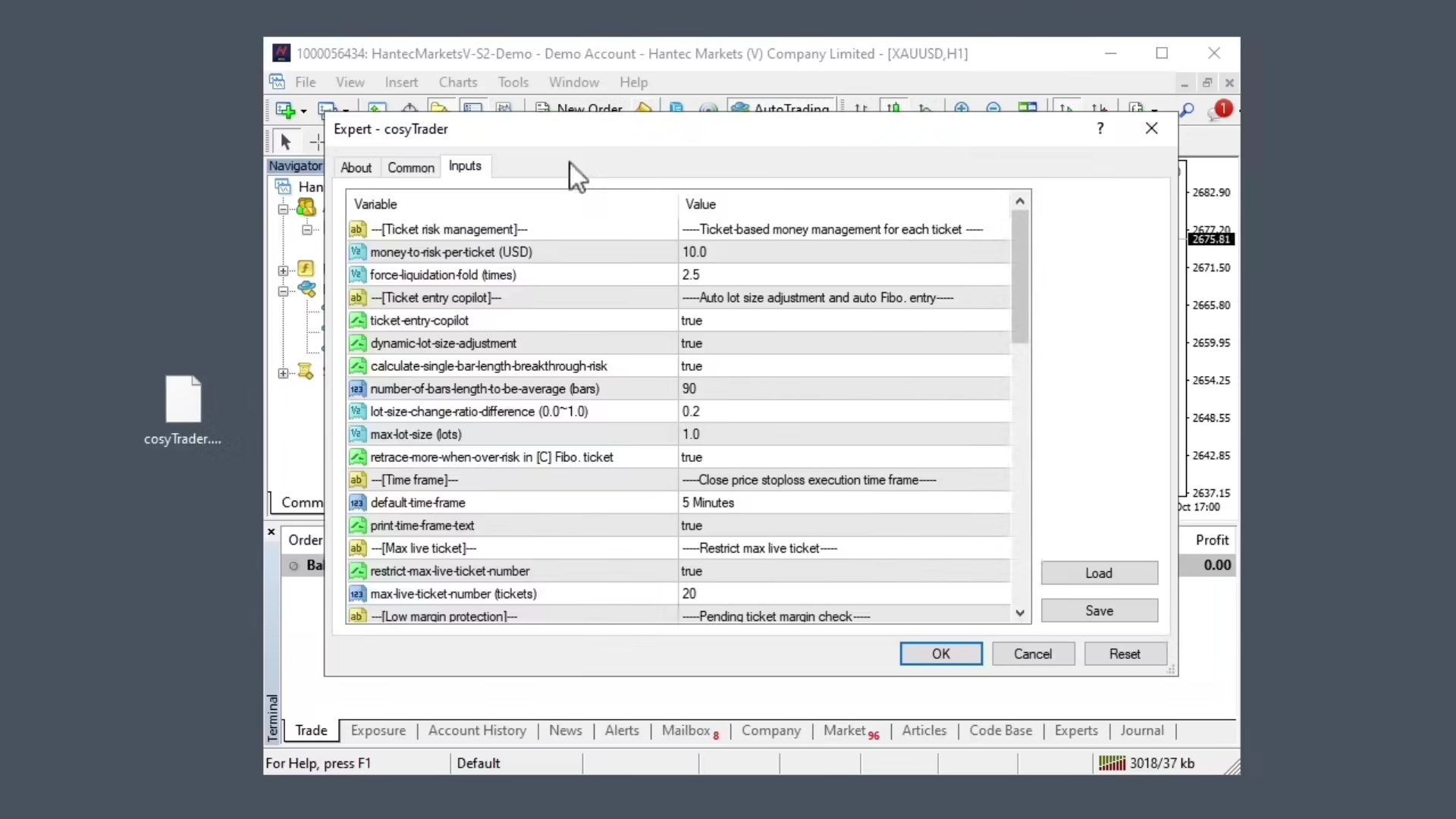
MT4 setup
How to mount the EA to your MetaTrader MT4 platform

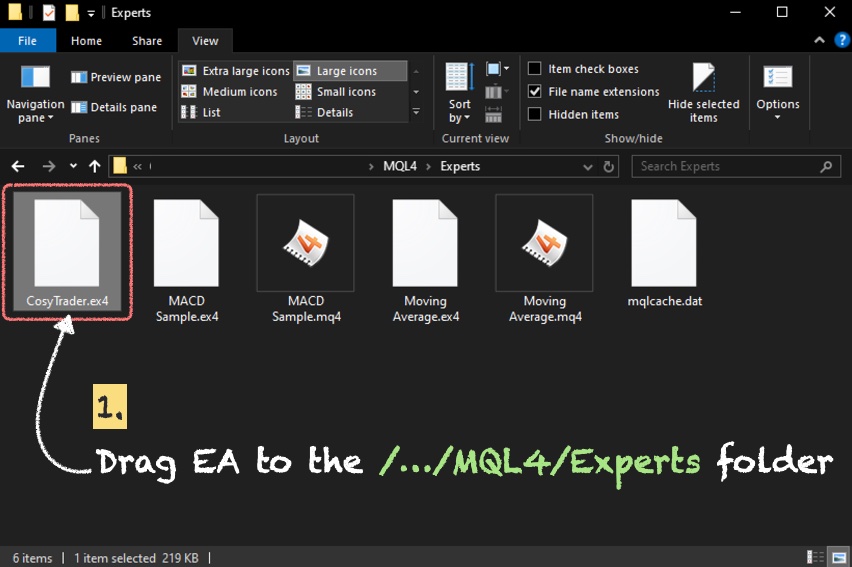
Drag EA into Experts folder
- Drag the
CosyTrader.ex4file into theMQL4/Expertsfolder on your MT4 platform.

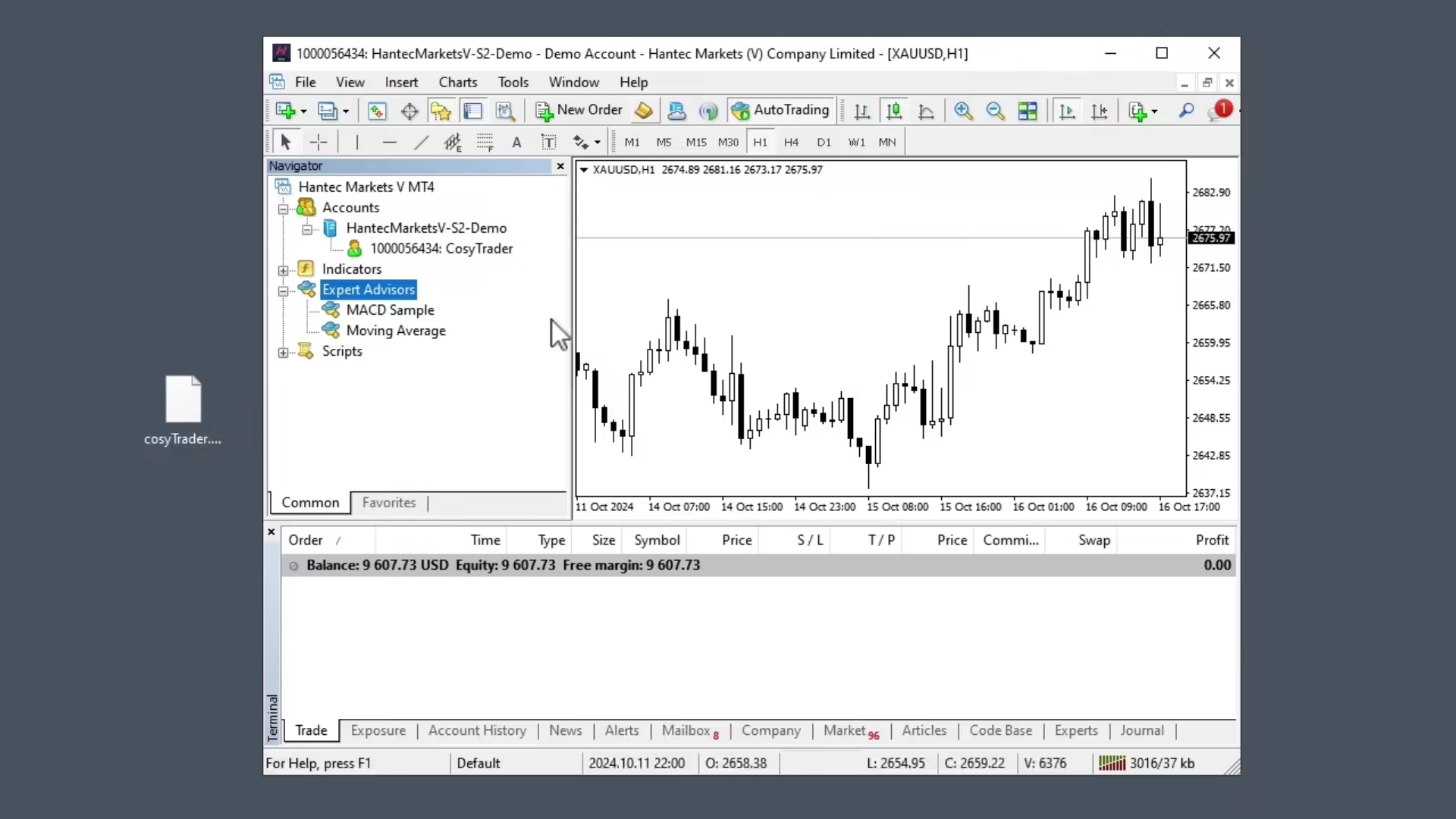
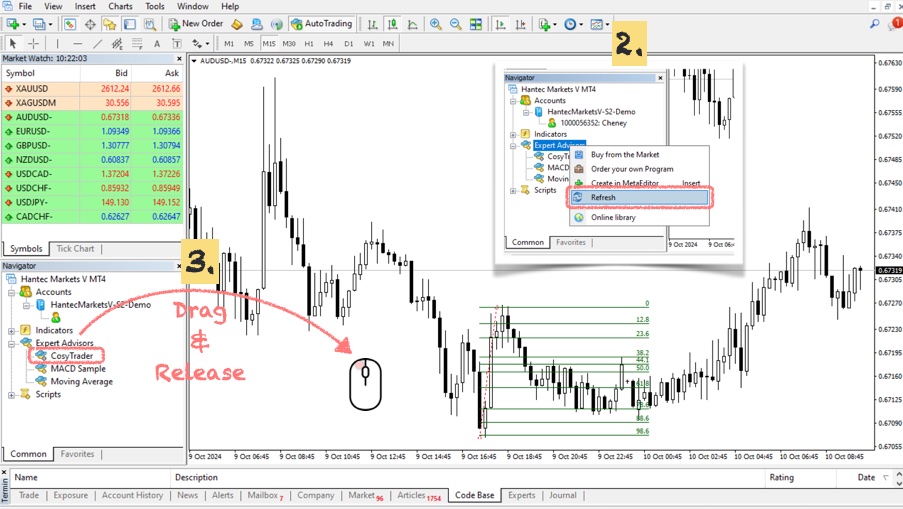
Refresh and Mount the EA
- Open MT4, right-click on the Expert Advisor section in the Navigator window, and click
[Refresh]. - Drag the CosyTrader EA from the Navigator window onto your chart.
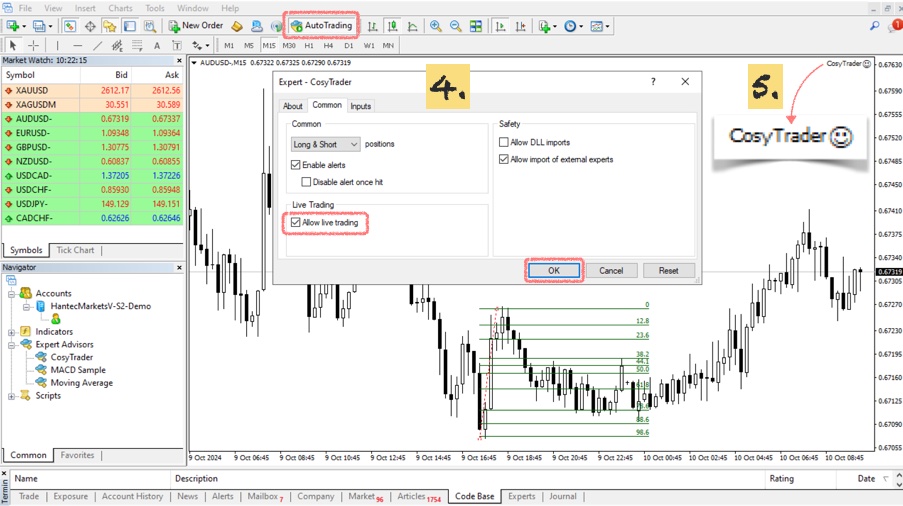
Turn on Auto Trading and Allow Live Trading
- In the EA settings, ensure that
[Allow live trading]and[Auto Trading]options are checked. - A smiley face will appear in the top right corner of the chart, confirming the EA is running successfully.